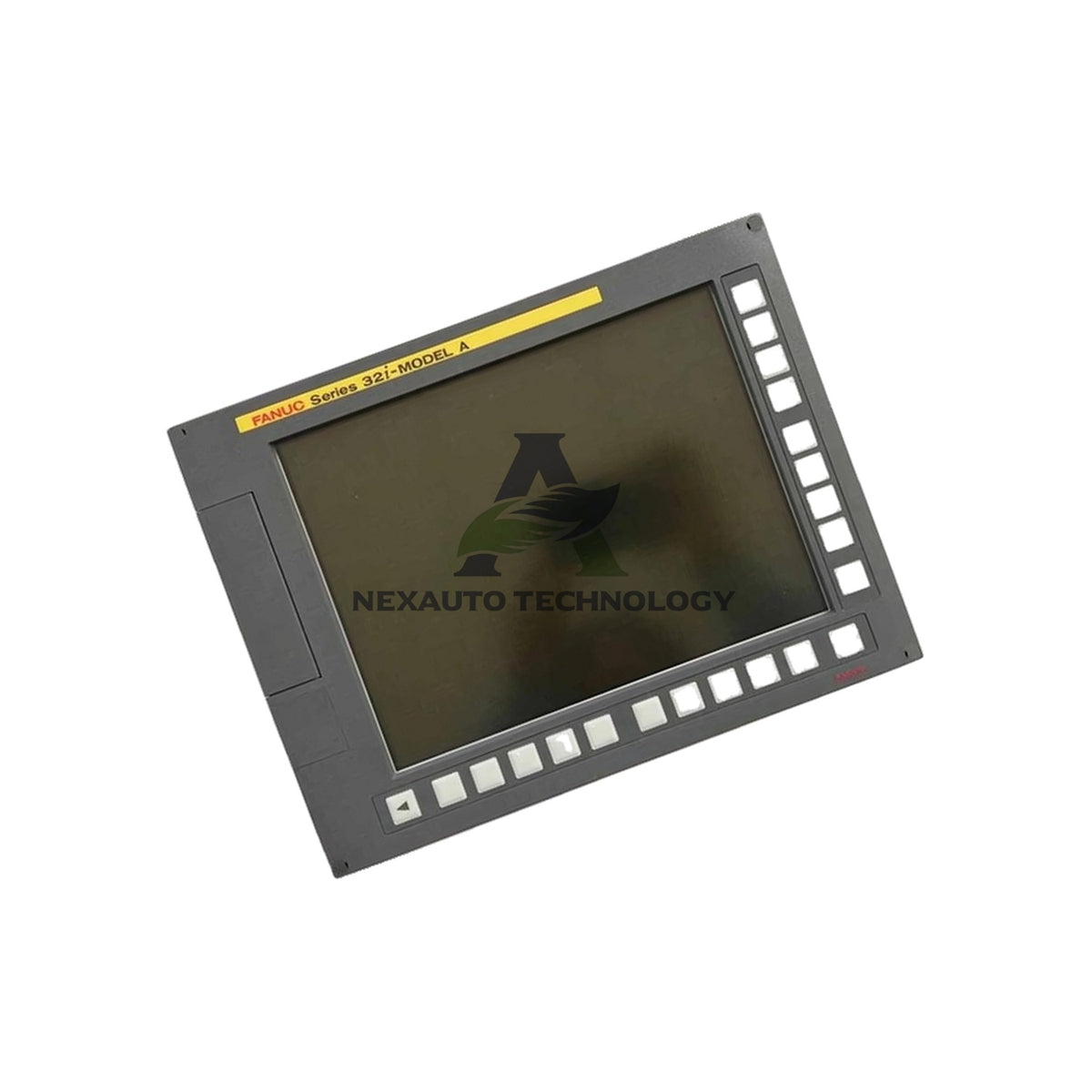
A02B-0303-D510 FANUC 12.1-Inch LCD Display Unit Touch 30i-A
Bulk Orders & Fast Shipping
Instant 10% Discount On Winter Banks Credit/Debit Cards EMI and CreditCard
Fast & Reliable Worldwide Shipping – Ready to Dispatch from Stock
- Fast shipping
- Return Policy
- Lowest Price
- Help Center 24/7
-
Vendor:
FANUC
-
Type:
Control Unit
- Tags Control unit
About the Product
A02B-0303-D510 FANUC 12.1-Inch LCD Display Unit with Touch for Series 30i-A
Technical Specifications
- Brand: FANUC
- Model: A02B-0303-D510
- Category: 12.1-inch LCD display unit with touch panel
- Series: FANUC Series 30i-A
- Display Type: Color LCD, 12.1-inch diagonal
- Touch Panel: Yes, integrated touch input
- Input Power: Not applicable (powered by host CNC system)
- Communication Ports: Not applicable (passive display component)
- Supply Voltage: Not applicable (host-supplied)
Environmental Ratings
- Operating Ambient Temperature: 0 to 55 °C (official per B-63945EN/02 §5.10, p.329/printed 356)
- Storage/Transport Ambient Temperature: −20 to 60 °C (official per B-63945EN/02 §5.10, p.329/printed 356)
- Relative Humidity: 75%RH or less under normal conditions
- Short-Term Humidity: Up to 95%RH for one month or less, with no condensation (official per B-63945EN/02 §5.10, p.329/printed 356)
- Condensation: Prevent condensation at all times to protect the panel and touch layer
- Environmental Source: FANUC B-63945EN/02 Maintenance Manual, §5.10 Environmental Conditions
Hardware Identity and Compatibility
- Official Identity: 12.1-inch LCD display unit with touch panel, as defined in FANUC B-63945EN/02
- Official BOM Reference: Listed in FANUC B-63945EN/02 Maintenance Manual, page 233
- Supported Control Families: FANUC Series 30i-A, 31i-A, and 32i-A CNC controls
- Hardware Confirmation: Multiple aftermarket supplier listings agree on the 12.1-inch color LCD format with touch input
- Generation Status: Legacy product, superseded by the Series 30i/31i/32i-B generation
- Mounting Style: LCD-mounted basic unit for direct installation in the control enclosure
- Dimensions and Weight: Not published for this order code (LCD-mounted basic unit figures do not apply)
- Verification Date: Last verified September 2026 against FANUC documentation
Installation Guidelines
- Confirm the host CNC model and control series before you order the unit.
- Power down the machine and disconnect main power before you begin the swap.
- Label the display connector cables so each one returns to its original port.
- Remove the old display unit together with its mounting hardware.
- Seat the new A02B-0303-D510 display unit squarely into the enclosure opening.
- Reconnect the display cable to the host CNC system and tighten the retaining screws.
- Restore power and check screen brightness, contrast, and touch response.
- Calibrate the touch panel according to the CNC control settings if input drifts.
- Keep ambient temperature inside the 0 to 55 °C operating window after startup.
- Avoid condensation-forming conditions, especially after moving the machine into a warm room.
Packing List
- One FANUC A02B-0303-D510 12.1-inch LCD display unit with touch panel
- Protective antistatic packaging
- Mounting hardware as supplied with the unit
- Unit ships via FedEx, UPS, or DHL, depending on destination
FAQ
-
Q: Does the A02B-0303-D510 include a touch panel?
A: Yes. FANUC supplies this unit as a 12.1-inch color LCD display with integrated touch input. -
Q: Which CNC controls does this display unit support?
A: The unit supports the FANUC Series 30i-A, 31i-A, and 32i-A control families. -
Q: What is the operating temperature range?
A: The official range is 0 to 55 °C per the FANUC B-63945EN/02 manual. -
Q: What is the storage temperature range?
A: Storage and transport range from −20 to 60 °C, with no condensation allowed. -
Q: Can the display handle high humidity?
A: It handles 75%RH normally and up to 95%RH for one month or less. -
Q: Does the unit need a separate power supply?
A: No. The host CNC system supplies power through the display connector. -
Q: Does the unit have communication ports?
A: No. It operates as a passive display component without built-in communication ports. -
Q: What happens if the touch response drifts?
A: Run the touch panel calibration routine in the CNC control settings. -
Q: Is this unit available as brand-new stock?
A: Yes. We offer brand-new original stock, and we hold this item in inventory. -
Q: How fast do you ship, and which carriers do you use?
A: We ship within five days using DHL, FedEx, or UPS. -
Q: What is your return policy?
A: We accept returns within 30 days of delivery.
Quick Quotes & Info
- Quick Quotes: Receive pricing and availability fast from our dedicated customer service team.
- Delivery: Expedited, freight, and international shipping available worldwide.
- Warranty: NexAuto offers a 12-month warranty on all parts purchased from us, in addition to any manufacturer coverage.
- Returns: 30-day return policy for defective or mismatched parts, ensuring peace of mind.
- Payment: Flexible options including major credit cards, PayPal, and bank transfers.
- Custom Calibration: Provide your specifications, and we’ll handle the rest with precision.

Industrial Electrical Solutions
Comprehensive Automation Equipment for Every Facility
PLCs, HMIs, Servo Drives, Sensors, and Cables for reliable operations.
BENTLEY NEVADA
Condition Monitoring Solutions
Proximity probes, sensors, and monitoring systems to protect critical machinery.
ALLEN-BRADLEY
Industrial Automation Components
High-quality PLCs, HMIs, and I/O modules for reliable control systems.
HONEYWELL
Controllers, I/O & Interface Modules
New parts to support DCS platforms and PLC installations.
Blog posts
-
Bently TSI vs DCS: Vibration Monitoring Guide
Compare Bently TSI and DCS for vibration protection. Learn API 670, response times, and integration...
-
Global Robot Fleet Tops Five Million: Automation Outlook 2026
Five million industrial robots now operate worldwide. Explore IFR data, PLC DCS trends...
-
Intrinsic Safety Barrier vs Isolator: 2026 Selection Guide
Compare Zener barriers and galvanic isolators for hazardous area loops. Learn grounding, signal integrity, and...


